
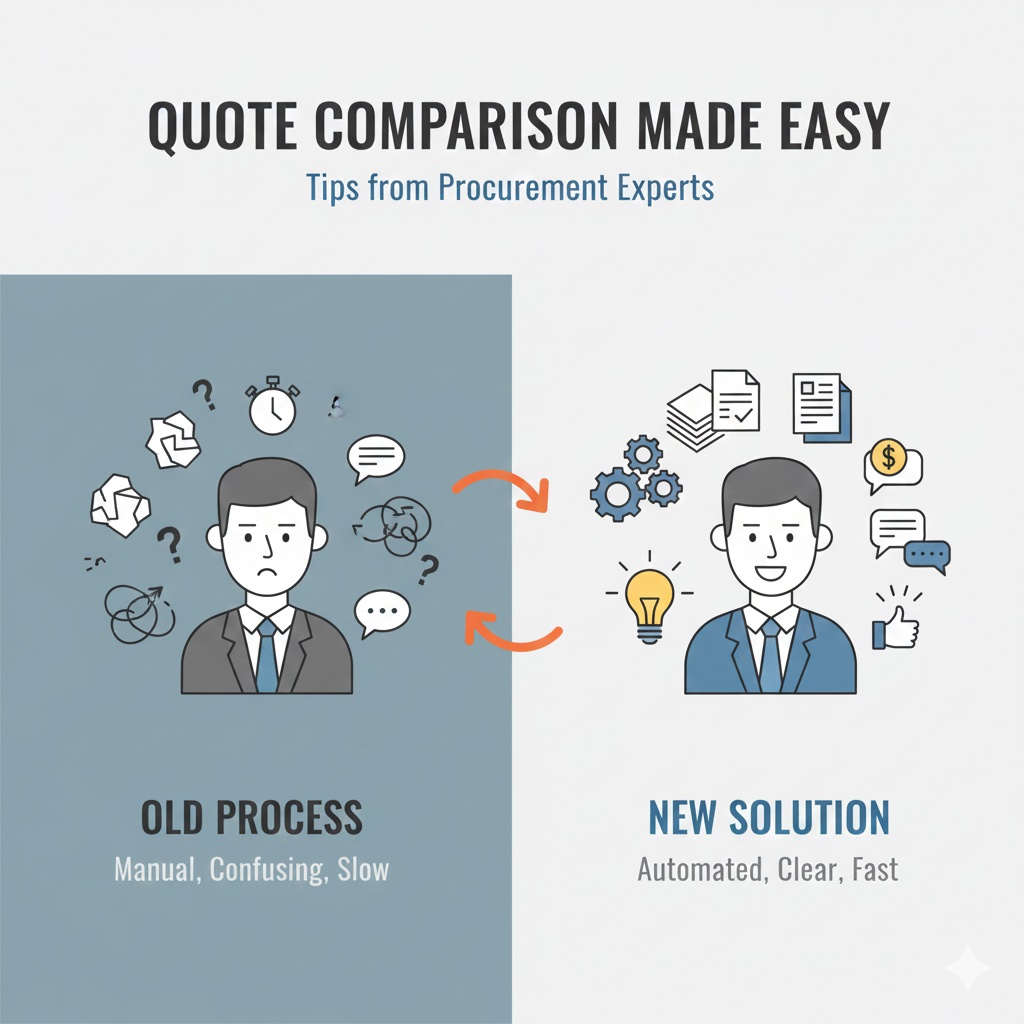
Beyond the Bottom Line: Comparing Quotes Like a Pro
You've sent your RFQ to multiple suppliers and the quotes are rolling in. Now comes the critical task: comparing them to make the best decision for your organization.
Simple in theory, challenging in practice. Quotes rarely arrive in the same format, with the same terms, or with complete information. This guide shares expert techniques for comparing quotes efficiently and making decisions you can defend—plus how modern AI tools like Buyer24 can automate much of this process while giving you complete control over your evaluation priorities.
Start with the Right Evaluation Framework
Before diving into the numbers, choose an evaluation model appropriate for your purchase:
Price Analysis
Best for commoditized products with many suppliers and healthy competition. Focus on comparing total prices across vendors without detailed cost breakdowns.
Cost Analysis
Appropriate when few suppliers exist or adequate competition doesn't exist. Break down supplier costs to assess each component of the offer.
Total Cost of Ownership (TCO)
Essential for complex purchases where the unit price is just the beginning. Factor in all costs over the product lifecycle.
Multi-Criteria Decision Analysis (MCDA)
Ideal for competitive bidding with multiple stakeholders. Use weighted scoring across multiple factors to achieve consensus and justify decisions.
Whenever you have a competitive situation with multiple quotes, consider using an MCDA or weighted scoring model as the backbone of your evaluation.
Tools like Buyer24 implement MCDA automatically, allowing each organization to configure their own comparison criteria and weightings. Whether your priority is lowest cost, fastest delivery, or a balanced approach—the system adapts to your needs.
Essential Comparison Criteria
Every quote comparison should consider these core factors—but the importance of each varies by organization. A manufacturing company with tight production schedules might prioritize delivery above all else, while a cost-conscious public sector agency may weight price most heavily. The best comparison systems let you adjust these priorities to match your organization's specific needs.
Price
- Unit cost and total cost
- Volume discounts and pricing tiers
- Payment terms and early-pay discounts
- Currency and exchange rate implications
Quality
- Specifications compliance
- Past performance history
- Quality certifications
- Sample or prototype results
Delivery
- Lead time and delivery dates
- Shipping terms and costs
- Delivery reliability track record
- Flexibility for changes
Supplier Capability
- Production capacity
- Financial stability
- Technical expertise
- Geographic considerations
The Hidden Costs Checklist
Don't let hidden costs surprise you. Include in your analysis:
- Shipping and freight: Who pays, and at what cost?
- Taxes and duties: Especially for international suppliers
- Setup or tooling fees: One-time costs that affect total value
- Testing and quality assurance: Required certifications or inspections
- Packaging and handling: Special requirements add cost
- Payment processing fees: Wire transfers, credit card fees
- Storage and inventory costs: If delivery timing varies
- Warranty and support: What's included vs. extra?
For complex purchases like ODM products, TCO might also include design fees, prototype iterations, and ongoing support costs.
Using Scoring Models Effectively
To make structured and unbiased selections, use scoring models that weight each criterion based on importance.
Step 1: Define Criteria and Weights
Determine what matters most for this specific purchase. Example:
- Price: 40%
- Quality: 25%
- Delivery: 20%
- Supplier reputation: 15%
For commodities, price might carry more weight. For custom or critical items, quality and reliability might be prioritized.
With Buyer24, these weightings are fully configurable at the organization level. Set your default priorities once, and every quote comparison automatically reflects your organization's values. Need to adjust for a specific project? Override the defaults for individual RFQs while keeping your standard settings intact.
Step 2: Create a Scoring Scale
Use a consistent scale (e.g., 1-5 or 1-10) for rating each criterion.
Step 3: Evaluate Each Quote
Score every supplier on every criterion, documenting your rationale.
Step 4: Calculate Weighted Scores
Multiply each score by its weight and sum for total score.
Step 5: Review and Validate
Check that the mathematical winner makes intuitive sense. If not, revisit your criteria and weights.
A formal scorecard helps achieve consensus across multiple stakeholders and justifies the final choice.
Should-Cost Analysis: Know What Things Should Cost
Should-cost analysis estimates the reasonable cost of a product by analyzing:
- Expected production costs
- Material costs
- Labor costs
- Overhead and margin
This methodology helps you identify discrepancies between quoted prices and fair market value. When a quote seems high, you have data to support negotiation. When it seems suspiciously low, you can investigate potential quality or reliability concerns.
Normalizing Inconsistent Quotes
Suppliers rarely submit quotes in identical formats. Here's how to normalize for comparison:
Create a Standard Comparison Template
Build a spreadsheet or tool that converts all quotes to the same format:
- Same units of measure
- Same currency
- Same delivery terms basis
- Same time period
This is where automation shines. Buyer24's AI extracts quote data from supplier emails regardless of format, automatically normalizing prices, quantities, and delivery terms into a consistent structure. No more manually transcribing data from PDFs, emails, and spreadsheets into comparison templates.
Try it yourself: Compare your quotes for free — no signup required.
Clarify Ambiguities
If a quote is unclear or incomplete, ask for clarification before evaluating. Don't guess—you might be wrong, and you can't compare what you don't understand.
Document Assumptions
When you must make assumptions to normalize data, document them. This protects your decision and enables review if assumptions prove wrong.
Red Flags to Watch For
Be cautious when you see:
- Prices significantly below market: Usually indicates quality concerns, misunderstanding of requirements, or unsustainable pricing
- Vague specifications: May not be quoting what you actually need
- Missing costs: Shipping "TBD" or taxes "not included"
- Unusual terms: Payment terms, warranty exclusions, or delivery conditions that differ from standard
- Lack of detail: Professional suppliers provide professional quotes
Making and Documenting the Decision
Once your analysis is complete:
Validate with Stakeholders
Review findings with the evaluation committee or key decision-makers. Ensure everyone understands the recommendation and the rationale.
Document Everything
Record your complete evaluation including:
- All quotes received
- Scoring methodology and results
- Key considerations and trade-offs
- Final recommendation and rationale
This documentation supports compliance, enables auditing, and provides a reference for future similar purchases.
Buyer24 automatically maintains this audit trail. Every quote, every comparison, every decision is logged and accessible—giving you instant answers when finance asks "why did we choose this supplier?" or auditors need to verify your sourcing process.
Communicate Professionally
Notify all participating suppliers of your decision. Thank unsuccessful bidders for their participation—you may need them for future RFQs.
How Buyer24 Transforms Quote Comparison
Everything described in this guide—evaluation frameworks, criteria weighting, quote normalization, documentation—Buyer24 automates intelligently while keeping you in control.
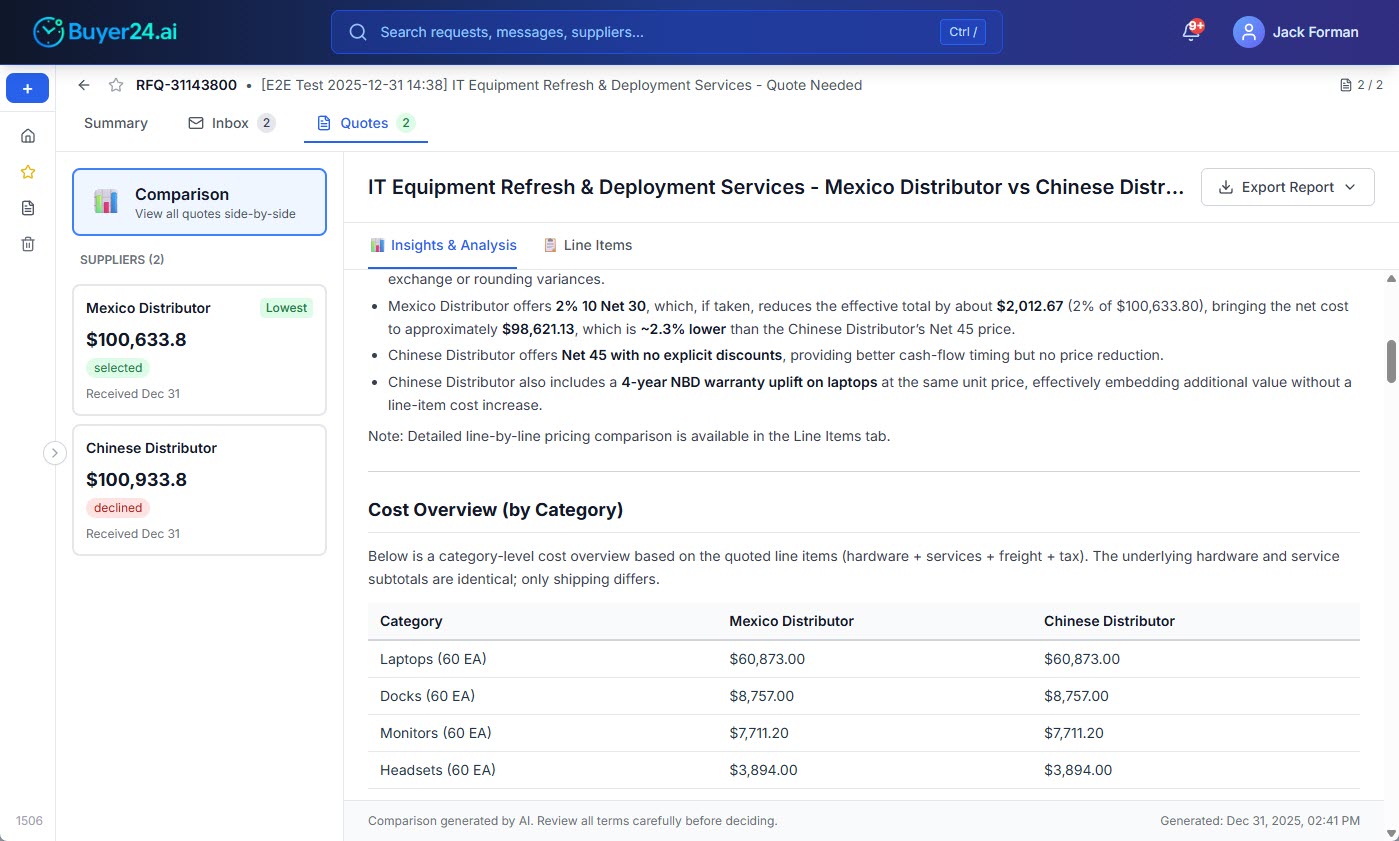
Configure Your Priorities Once
Set your organization's comparison criteria and weightings at the account level. Does delivery time matter more than a 5% price difference? Prioritize it. Is price king for your commodity purchases? Weight it heavily. Each organization's configuration is unique because each organization's needs are different.
Automatic Quote Extraction
When suppliers respond to your RFQs, Buyer24's AI reads their emails and attachments, extracting prices, quantities, lead times, and terms. No manual data entry. No copy-paste errors. Just clean, comparable data.
Side-by-Side Comparison
View all quotes for an RFQ in a single normalized view. Buyer24 highlights the best options based on your configured priorities—whether that's the lowest total cost, the fastest delivery, or the best overall score.
Complete Audit Trail
Every quote, every comparison, every selection is automatically documented. When you need to explain a sourcing decision, the data is there—organized, searchable, and exportable.
See it in action: Try the free quote comparison tool and compare your supplier quotes in minutes.
Quick Comparison Checklist
Before finalizing your decision, verify:
- All quotes are for the same specifications
- Delivery terms are equivalent or adjusted
- Hidden costs are identified and included
- Payment terms are factored into comparison
- Quality and reliability concerns are addressed
- Scoring reflects organizational priorities
- Decision is documented and defensible
The goal isn't just to find the lowest price—it's to find the best value for your organization. Systematic comparison ensures you make decisions you can stand behind.
Ready to streamline your quote comparison? Try Buyer24's free comparison tool — upload your supplier quotes and get AI-powered insights in minutes.